
AI + Cyber Security for NZ SMEs: Simple Controls to Avoid the ‘Oops’ Moments
AI tools can save time, sharpen customer service and help small teams do more with less. But for New Zealand SMEs, the fastest way to lose those gains is to adopt AI casually and discover later that staff have pasted sensitive information into prompts, shared logins across the team, or relied on an answer that was simply wrong. The good news is that reducing risk does not need a full IT department. A few sensible controls, clear habits and better vendor questions go a long way towards secure AI adoption NZ businesses can trust.
Threat reality check: the risk is usually ordinary, not dramatic
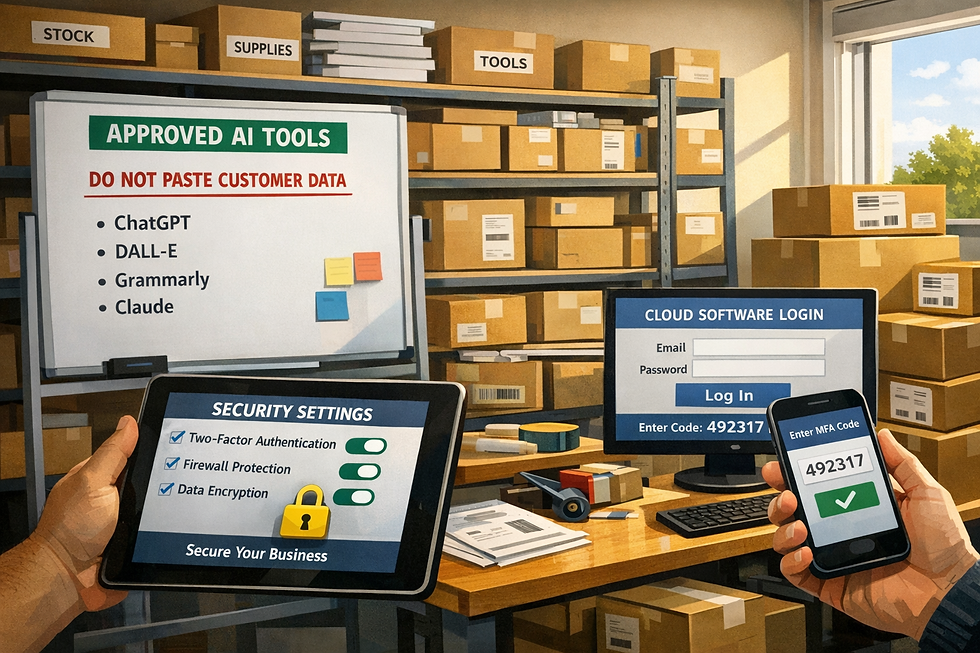
Most cyber incidents in small businesses are not movie-style hacks. They are everyday mistakes: a reused password, a fake invoice email, an over-permissioned app, or someone uploading customer data into an AI tool without checking where it goes. AI adds speed and convenience, but it can also speed up bad decisions. That is why AI cyber security NZ conversations should focus on basics first: who has access, what data is being used, where it is stored, and what happens if something goes wrong.
How AI tools can introduce risk in plain English
The biggest risks are usually simple to understand. First, staff may paste sensitive information into prompts, including customer details, pricing, contracts, health information or internal plans. If the tool stores prompts or uses them for product improvement, that data may end up somewhere you did not intend.
Secondly, shared accounts make it hard to know who did what and make access harder to remove when someone leaves.
Thirdly, weak permissions mean too many people can see, export or connect data they do not need.
Fourthly, data retention settings matter: if you do not know how long inputs and outputs are kept, you cannot properly assess your NZ SME AI risk.
Fifthly, phishing is getting more convincing because criminals can use AI to write polished emails, fake support messages and realistic impersonations.
Finally, model outputs can contain mistakes, made-up facts or unsafe recommendations. AI can sound confident and still be wrong, which creates legal, financial and privacy risks if staff act on it without checking.
The 10-control checklist every SME can put in place
If you want an AI tools security checklist that is practical, start here.
Turn on multi-factor authentication (MFA) for email, finance systems, file storage and every approved AI tool that supports it.
Give each person a unique login; no shared accounts.
Apply least privilege so staff only access the apps, folders and AI features they genuinely need.
Use a password manager to create and store strong, unique passwords.
Keep devices updated automatically, including laptops, phones, browsers and security software.
Create an approved tools list so staff know which AI services are allowed and which are not.
Set prompt hygiene rules: never paste personal information, confidential client data, passwords, commercially sensitive material or anything covered by contract unless the tool has been approved for that use.
Maintain backups for critical business data and test that you can restore them.
Keep an incident contact list with internal decision-makers plus your IT provider, insurer, legal adviser and privacy lead.
Keep logs or records for high-risk actions, such as AI-generated customer communications, policy decisions, financial outputs or anything involving personal information.
These ten controls cover a large share of small business cyber security New Zealand risks without becoming overly technical.
Choose vendors like a risk manager, not just a buyer
Cyber and vendor due diligence belong together. Before rolling out a new AI tool, ask for the provider’s breach process, security documentation and a clear explanation of how data is handled.
Where is data stored? Is it processed overseas? Are prompts retained, and for how long? Can training on your data be switched off? What access controls, encryption and audit logs are available? If the vendor cannot answer basic questions clearly, that is useful information. For Privacy Act 2020 breach notification obligations and broader privacy compliance, you need enough visibility to understand where personal information goes and what risks come with it.
Official guidance from the Office of the Privacy Commissioner on privacy principles is a good reference point: https://www.privacy.org.nz/privacy-act-2020/privacy-principles/.
For broader protective guidance, the National Cyber Security Centre has practical advice for organisations: https://www.ncsc.govt.nz/guidance/.
Privacy breach NZ business mini-playbook

If something does go wrong, stay calm and follow a simple sequence.
First, recognise the issue: has personal information been sent to the wrong person, exposed through an AI tool, or accessed by someone who should not have it? Secondly, contain it: remove access, reset passwords, disable the integration, recall the message if possible, and contact the vendor quickly. Thirdly, assess seriousness: what information was involved, whose information was affected, how many people are impacted, and what harm could result? In New Zealand, notifiable breaches are those likely to cause serious harm. Fourthly, notify if required, including affected people and the Office of the Privacy Commissioner where appropriate. Fifthly, improve the process so it does not happen again. The Office of the
Privacy Commissioner’s privacy breach guidance is the key NZ resource here: https://www.privacy.org.nz/privacy-act-2020/privacy-breaches/.
This is essential reading for any privacy breach NZ business response.
A safe way to start with AI in a small team
Do not begin with your most sensitive process. Start with low-risk use cases such as drafting non-confidential marketing ideas, summarising public information, or turning meeting notes without personal details into action lists. Document what tools are approved, what data is off-limits, and who signs off higher-risk uses. Make human review mandatory for anything customer-facing, financial, legal, employment-related or privacy-sensitive. This reduces secure AI adoption NZ risk and helps your team build good habits before AI becomes embedded in daily work.
AI does not need to make your business less secure. For most SMEs, the path forward is straightforward: lock down access, limit what goes into tools, ask sharper vendor questions, and know exactly what to do if a privacy incident occurs. If you do these basics well, you will cut a large share of your exposure without slowing the business down. Download the AI Security Checklist for NZ SMEs, or book a security-first AI rollout session to put the right controls in place from day one.


